Skip to content
hh9 App / Sports
LIVE LOBBY

hh9 — Account Controls and Game Lobby for Pakistan

Slots from Pragmatic Play and PG Soft, live casino tables, and cricket-led sports betting are all inside one lobby — reachable the moment you log in on any mobile device. Access depends on local law and is available where your region permits.

JazzCash Easypaisa Raast
Browse games
CONTENT / 01

Open Baccarat VIP Circle or Slot Clash from the lobby

Baccarat VIP Circle and Baccarat Insider are the live dealer table games we see returning accounts open most on desktop. On mobile, Slot Clash and Crash Ignition tend to be the sessions that run longest — both load in the browser without a separate download. Football BetBonus sits in the sports section alongside cricket markets, and Live Poker Channel rounds out the live casino wing for card-game sessions.

  • Baccarat VIP Circle

  • Slot Clash

  • Crash Ignition

  • Football BetBonus

  • Baccarat Insider

  • Live Poker Channel

GAME NETWORK
Pragmatic Play
Bigtime Gaming
Microgaming
CQ9
PlayStar
PG Soft
CONTENT / 04

hh9 lobby studios

The hh9 lobby carries content from Pragmatic Play, Bigtime Gaming, Microgaming, CQ9, PlayStar, PG Soft. To check the studio, rules or features of one specific game, open that game card or the published information panel.

  • Pragmatic Play

  • Bigtime Gaming

  • Microgaming

  • CQ9

  • PlayStar

  • PG Soft

DISCOVER / 01

Choose your game

Full lobby
TRUST / 03

What keeps your account steady at hh9

Account security and honest game conduct are not optional extras at hh9 — they are part of how the platform is built. Your session is protected by encrypted communication between your device and the platform servers, and login activity is visible in your account history so you can spot anything unfamiliar. Game results from our studio partners are generated by the studio's own certified random-number systems; hh9 does not alter those outcomes on its side.

  • Encrypted Sessions

    Your connection to hh9 runs over encrypted channels throughout each login session. You can see active session details in your account security settings — if anything looks unfamiliar, the option to end active sessions is right there in the same panel.

  • Studio-Certified Results

    Game outcomes on slots and live tables come from the studio's own certified random-number systems — Pragmatic Play, PG Soft, Microgaming and the rest each maintain their own result integrity. hh9 does not modify those results, and the session record is reviewable through support if a dispute arises.

  • Account History Log

    Every transaction, game round and login event is logged under your account history. You can filter by date or transaction type directly from your dashboard after login — no need to contact support for a basic activity check, though support can assist with anything the log does not make clear.

  • Regional Eligibility

    Access to hh9 games and betting markets is subject to local law and is available only where your region permits. The account registration flow confirms eligibility based on the information you provide; if a service is not available in your area, the platform will indicate that at the relevant step.

Learn more →
REACH US DIRECTLY

Your support routes — visible before and after login

Account questions should not require a long search. hh9 keeps its support routes visible from the main menu whether you are logged in or not, so you are never hunting for a contact option mid-session. Three primary channels handle account, payment and game queries: live chat available from the help icon in the bottom navigation, an email route for detailed account documents or wallet verification, and a dedicated Pakistan-facing support line for urgent account access issues.

  • Live Chat

    The live chat button sits in the bottom navigation on both mobile and desktop. Open it without logging in for general questions, or from inside your account for transaction and game-specific queries. The agent can access your session record directly once you share your account reference, which makes payment and round disputes easier to resolve.

  • Email Support

    For account verification, wallet document requests or anything that needs a paper trail, email is the right route. Send your query with your registered account email in the subject line so the team can match it to your record immediately. Email responses include a thread reference you can use in follow-up messages — helpful for JazzCash deposit confirmations or Bank Transfer reconciliation.

  • Pakistan Account Help

    Certain account queries — particularly around Easypaisa linking, Raast payment confirmation or first-time wallet verification — have a dedicated Pakistan support path. The help section in your account dashboard shows which contact route to use for each issue type, so you reach the right team without being bounced between departments.

CRICKET AND SPORTS

Explore PSL and cricket markets in the sportsbook

Cricket is the sports category Pakistani accounts use most inside the hh9 sportsbook. PSL matches and international cricket fixtures appear under the cricket section as they are scheduled — odds and availability reflect what the market is offering at the time you open the page, not a fixed display. Football BetBonus bridges the gap between slot-style mechanics and sports outcomes for accounts that like both categories.

  • Cricket Betting

  • Football BetBonus

  • Live Markets

LOCAL PAYMENTS

Switch between JazzCash, Easypaisa, Raast or Bank Transfer

Payments at hh9 are built around the methods Pakistani accounts actually use. JazzCash and Easypaisa wallets connect directly through the deposit flow — once your wallet is linked and verified in your account settings, the deposit process follows the fields shown on screen. Raast enables direct bank-to-bank transfers for accounts that prefer a formal payment record. Bank Transfer and Debit Card round out the options for accounts that hold a standard current or savings account.

  • JazzCash

    Link your JazzCash wallet through the payment settings in your account. The deposit and withdrawal flows for JazzCash are handled inside the platform — your wallet number is confirmed during the first-time link step, and subsequent transactions follow the on-screen amount and confirmation fields.

  • Easypaisa

    Easypaisa transfers go through the same account-linked flow as JazzCash. Enter the amount, confirm on the Easypaisa side and the transaction reference appears in your account history. If a transfer shows pending longer than expected, the support team can check the reference against the platform record.

  • Raast

    Raast connects your registered bank account to the hh9 wallet using the interbank transfer system. It is a good choice when you want a formal bank record of the transaction alongside your platform history. Set it up through the payment settings once your bank account is verified.

  • Bank Transfer

    Standard bank transfers are accepted for accounts that prefer moving funds directly from a current or savings account. The payment section shows the receiving details and reference format to use — include your account reference in every transfer so reconciliation is straightforward on both ends.

  • Debit Card

    Debit card deposits are entered directly in the payment screen — card number, expiry and CVV are processed through the encrypted payment form. The card is not stored after the session unless you save it explicitly in payment settings. Withdrawal to the same card follows the standard request flow in your dashboard.

JazzCash Pakistan payment context
Easypaisa Pakistan payment context
Raast Pakistan payment context
GETTING STARTED

From account open to your first session — four steps

Opening an account at hh9 takes a few minutes if you have your mobile number and a preferred payment method ready. The registration form asks for your basic details and a verified contact number — this is used for account recovery, so use a number you have access to. Once your account is confirmed, linking a payment method like JazzCash or Easypaisa is the next step before your first deposit.

  1. Open your account

    Fill in the registration fields on the account page — name, contact number and a secure password. Use a mobile number you own as it is needed for verification and account recovery.

  2. Verify your contact details

    A confirmation is sent to your registered number. Follow the verification step shown on screen — this confirms the account is yours and unlocks the full dashboard including payment settings.

  3. Link a payment method

    Go to payment settings and add JazzCash, Easypaisa, Raast, Bank Transfer or Debit Card. The link process shows the required fields for each method — follow the on-screen instructions to complete the connection.

  4. Enter the lobby

    With your account funded, use the category bar to open slots, live casino tables or cricket betting markets. Your wallet balance and transaction history are visible from the account icon at any point during your session.

MEMBER DESK / 06

Offers, support and account controls

01

Game lobby

02

Support

MOBILE SESSION QUALITY

Slot Clash and Crash Ignition run cleanly on a small screen

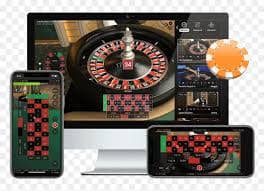
The hh9 lobby adapts to the screen you are on right now. Slot titles from PG Soft and CQ9 — including Slot Clash and Crash Ignition — are built with portrait-mode play in mind, so the controls and stake fields scale without needing a landscape flip. Live casino tables from Pragmatic Play maintain the dealer feed and betting panel side by side even on a mid-range handset.

  • Portrait Slots

    PG Soft and CQ9 slots including Slot Clash are laid out for one-handed portrait play. Stake controls and the spin button sit at the bottom third of the screen so your thumb never leaves the action zone.

  • Live Table Feed

    Pragmatic Play live dealer tables scale the video feed and betting grid to fit smaller screens without cropping the dealer view. Baccarat VIP Circle and Live Poker Channel both hold their layout on a standard mobile display.

  • Wallet at a Glance

    Your current balance and the last transaction amount are shown in the account panel, reachable with one tap from any screen in the lobby. No full reload needed — the figure updates as each round or bet settles.

CONTENT / 03

Slot Clash and Crash Ignition run cleanly on a small screen

The hh9 lobby adapts to the screen you are on right now. Slot titles from PG Soft and CQ9 — including Slot Clash and Crash Ignition — are built with portrait-mode play in mind, so the controls and stake fields scale without needing a landscape flip. Live casino tables from Pragmatic Play maintain the dealer feed and betting panel side by side even on a mid-range handset.

  • Portrait Slots

    PG Soft and CQ9 slots including Slot Clash are laid out for one-handed portrait play. Stake controls and the spin button sit at the bottom third of the screen so your thumb never leaves the action zone.

  • Live Table Feed

    Pragmatic Play live dealer tables scale the video feed and betting grid to fit smaller screens without cropping the dealer view. Baccarat VIP Circle and Live Poker Channel both hold their layout on a standard mobile display.

  • Wallet at a Glance

    Your current balance and the last transaction amount are shown in the account panel, reachable with one tap from any screen in the lobby. No full reload needed — the figure updates as each round or bet settles.

ACCOUNT DASHBOARD OFFERS

Check your account dashboard for what is running now

Promotional activity at hh9 is account-specific — what is available to you depends on your account standing and the current period, not a fixed public display. The current state of any offer is shown in your account dashboard after you log in. We do not publish a schedule of when offers change or refresh, and we do not make promises about what you will receive before you log in and check.

  • Account Dashboard View

    Log in and navigate to the offers section of your dashboard. What appears there reflects your account's current eligibility — it is not a static page, so the state you see after login is the accurate one. Bookmark the dashboard rather than relying on an external page for offer status.

  • Game Mechanics vs Offers

    Some games — particularly crash titles like Crash Ignition — have built-in prize rounds and multiplier mechanics that are part of the game itself, not a platform promotion. These appear in the game's own rules panel. Separate account-level offers, when available, show in the dashboard, not inside the game screen.

  • Support for Offer Queries

    If an offer shown in your dashboard has terms you want clarified before using it, the live chat team can walk through the conditions with you. Raise the query with the offer name and your account reference so the agent can pull the exact terms on their side.

Login
PLAYER INDEX / 07

Game mechanics — what the terms in the lobby actually mean

The lobby uses standard industry terms that may not be immediately obvious if you are new to certain game formats. These short explanations cover the mechanics you will encounter most often across slots, live tables and crash games available at hh9.

Player guide and glossary
  • What is RTP and where do I find it for a specific game?

    RTP stands for Return to Player — it is a percentage figure that describes what a game returns over a very large number of rounds. hh9 shows RTP only where the studio or game itself makes the figure available. Open the game's information panel before starting a session; if RTP is published by the provider, it appears there. We do not estimate or fill in figures where the studio has not provided them.

  • What does a bonus round mean in a slot game?

    A bonus round is a game mechanic built into certain slot titles — it is triggered by a specific symbol combination on the reels and typically offers a different set of spins or a prize multiplier within the same game. Slot Clash and other CQ9 or PG Soft titles that include a bonus round describe the trigger conditions in the game's own rules panel. The amount won during a bonus round is added directly to your account wallet when the round concludes.

  • How does a crash game work?

    Crash Ignition and similar crash-format games show a multiplier that rises from 1x after each round starts. You place your stake before the round begins, then cash out at the multiplier you choose before the game crashes. If you do not cash out before the crash point, the round is lost. The crash point is determined by the studio's random system each round — previous crash points do not indicate where the next one will fall.

  • What is the difference between Baccarat VIP Circle and standard baccarat?

    Baccarat VIP Circle is a Pragmatic Play live dealer table variant with a higher stake range and a dedicated table environment. The game rules follow standard baccarat — two hands are dealt, you bet on Player, Banker or Tie, and the hand closest to nine wins. The VIP format separates it from entry-level live baccarat tables in terms of stake minimums; the current stake range is shown in the lobby tile before you enter the table.

  • What does 'in-play' mean in the sportsbook?

    In-play refers to sports markets that are open while a match or event is in progress. For cricket, this means you can place bets on certain outcomes after the match has started — the odds shown reflect the live state of the game. Markets open and close during the match based on the event; the in-play section of the sportsbook shows only currently available markets, not historical ones.

  • What is a wallet balance and how does it update?

    Your wallet balance is the amount currently available in your hh9 account for placing bets or stakes. It updates in real time as deposits clear, round results settle and withdrawals are processed. The balance shown in the account panel after login is the live figure — there is a short processing window between a JazzCash or Easypaisa deposit being submitted and the funds appearing in the wallet, which the transaction history will reflect.

  • What does 'stake range' mean on a game tile?

    The stake range shown on a game tile or in the game's pre-launch screen tells you the minimum and maximum amount you can bet per round. It sets the boundary for each single round, not a session total. Checking the stake range before entering a live table like Baccarat VIP Circle or Live Poker Channel helps you match the table to your current wallet balance.

LOBBY / 02

One mobile lobby, distinct game areas

Baccarat VIP Circle Live Baccarat VIP Circle Access → Slot Clash Slots Slot Clash Access → Football BetBonus Sports Football BetBonus Access → Crash Ignition Slots Crash Ignition Access → Baccarat Insider Live Baccarat Insider Access → Live Poker Channel Live Live Poker Channel Access →
EXPLORE FURTHER / 04

Explore detailed guides

Local lobby check

QUICK ANSWERS

Frequently asked questions

These are the account and access questions the hh9 support team hears most often. The answers here are the starting point — if your situation is more specific, live chat or email can take it further with your account record in front of them.

Read FAQ →
How do I link my JazzCash wallet to my hh9 account?

Go to payment settings in your account dashboard after login. Select JazzCash from the payment method list and enter your registered JazzCash mobile number when prompted. A confirmation step follows — complete it as shown on screen. Once linked, your JazzCash wallet appears as a selectable option in the deposit and withdrawal flows. If the link step shows an error, contact support via live chat with your account reference and the support team can check the connection on their side.

Can I use Easypaisa and JazzCash on the same account?

Yes — your account can hold multiple payment methods at the same time. Add each wallet separately through the payment settings screen; both will appear in the deposit method list once linked and verified. Keep in mind that withdrawal requests are generally processed back to the same method used for the deposit, so it is worth linking both if you plan to use both for funding. The payment settings screen shows all your linked methods and their verification status.

My Raast payment shows pending in the transaction history — what should I do?

Raast transfers move through the interbank system, which can take a short time to confirm depending on your bank. The transaction history in your account shows a pending status while the transfer is in transit. If the status has not updated after what feels like an unusual wait, take the transaction reference shown in your history to live chat or email support — they can cross-reference the reference against the platform record to check where it stands.

What happens if I forget my account password?

The login page has a password reset option below the sign-in fields. Enter your registered email address or mobile number and follow the steps sent to that contact — the reset link or code is time-limited so use it promptly. If you no longer have access to your registered contact details, email support directly from a message that includes identifying information; the team can verify your identity through an alternative route and assist with account recovery.

How do I check which games are available in my region?

Log in and open the lobby — games and markets that are not available in your registered region are either hidden from the catalogue or marked as unavailable on the tile. The available set reflects eligibility at the time you log in based on your account region. Availability of specific titles can change if a studio updates its regional settings; the lobby state after login is always the current picture for your account.

Where do I find my transaction history for Bank Transfer deposits?

All deposit and withdrawal records, including Bank Transfer transactions, are stored under the transaction history section of your account dashboard. Filter by payment method or date range to find a specific Bank Transfer record. Each entry shows the amount, method, status and a reference number. For Bank Transfer specifically, include your account reference in every transfer instruction so the platform can match the incoming payment to your account without delay.

How do I contact support if the live chat is unavailable?

If live chat is not available at the moment you need help, email is the alternative route. Send your query with your registered account email in the message and a clear description of the issue — payment reference, game name or account step, depending on what you need help with. The email thread keeps a reference number you can use for follow-up. The account help section in your dashboard also lists the current available contact routes so you can see which channel is open.

Is hh9 accessible on a mobile browser without downloading anything?

The hh9 lobby runs in a mobile browser without a separate download. Open the site address in your phone's browser, log in with your account credentials and the lobby loads directly. Games from PG Soft, Pragmatic Play and other studio partners launch within the browser session. If you prefer keeping the site easy to reach, adding the address to your home screen via your browser's share or bookmark options gives you one-tap access without installing anything.

READY WHEN YOU ARE

hh9 game lobby

Access may be available only where local law permits.

Register Login